How to login to DirectAdmin
Updated 23/11/2026 388 views
There are 3 ways to login to your web hosting account panel (DirectAdmin) which are:
via Billing Area
- Login to your account at https://billing.sitehandy.com
- Navigate to Services.
- Next, choose the product/service that is using the DirectAdmin hosting panel.
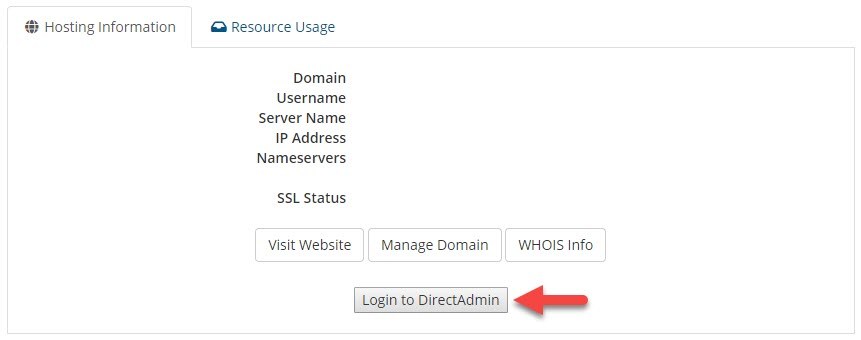
- Lastly, click on the Login to DirectAdmin button. You will be redirected to DirectAdmin hosting panel.
via Server Host
- Visit https://web01.sitehandy.net:2222 or https://websg01.sitehandy.net:2222
- Enter your web hosting username & password.
via Your Domain
- Visit yourdomain.com:2222
- Enter your web hosting username & password.
Hope this helps!
Related articles
-
To use Multiple PHP Version for your domains and subdomains in DirectAdmin, you must first ADD your domains and subdomains via Domain Setup feature.  If you add your subdomains u…
-
There are 2 features in DirectAdmin which are: Domain Setup Subdomain Management Domain Setup Use this feature to add a new domain (Domain Addon) to your web hosting account. You c…
-
To manage your website files using File Manager, follow the following steps: 1. Click on the File Manager menu. Â 2. Navigate to the directory of your website. All your primary, ad…
-
SSL certificates are critically required because SSL certificates protect the exchange of data between your website and the server. If your website is set up to accept payment and…
-
Some of our servers use different PHP Selector to change the PHP Version for your domains and subdomains. However, the procedure is still the same as the Default where if you want…